 Nitnesh Mishra
A thorough Shopify store QA testing checklist verifies that checkout flows, catalog navigation, third-party integrations, and responsive layouts function without technical friction before real shoppers arrive. Systematically validating payment gateways, automated notifications, and performance benchmarks prevents lost revenue and protects brand credibility. Executing these validation steps ensures your storefront operates reliably across target devices and international markets.
Key Takeaways
- Placing simulated transactions through test gateways verifies checkout mechanics, tax calculations, and shipping rates without live transaction charges.
- Testing across mobile viewports and browser engines prevents broken responsive layouts prior to launch.
- Auditing third-party application scripts ensures external code does not disrupt theme features or degrade Core Web Vitals.
- Validating transactional email templates guarantees that order receipts, customer accounts, and fulfillment notices display accurate dynamic data.
Why Pre-Launch QA Testing Protects Ecommerce Revenue
Ecommerce stores depend on consumer trust and technical stability. When an online shopper encounters a broken button, an unexpected shipping calculation error, or an unformatted checkout page, they abandon the session immediately. Research from the Baymard Institute shows that the average digital shopping cart abandonment rate sits at 70.22%, with technical glitches, unexpected fees, and checkout friction ranking among the top contributors.
A failed transaction during launch forfeits sales, wastes ad spend, and distorts marketing analytics. Quality assurance (QA) is an end-to-end audit of theme code, inventory settings, apps, and payment processors. Structured pre-launch testing ensures paid traffic converts reliably from day one.
1. Product Catalog and Navigation Testing
Your catalog and navigation form the foundation of the customer shopping journey. Execute these checks:
- Product variant functionality: Select every combination of color, size, and material on key product pages. Verify that changing variants dynamically updates displayed pricing, imagery, SKU codes, and inventory availability.
- Search and filtering mechanics: Input brand terms and category queries into storefront search. Confirm that collection filters return accurate product subsets without page reload errors.
- Inventory rules and stock statuses: Test out-of-stock items to confirm that backorder notices or sold-out badges display properly. Verify customers cannot purchase quantities exceeding stock limits when backorders are disabled.
- Pricing and currency display: Inspect base prices, compare-at sales tags, and multi-currency converters. Confirm formatting remains consistent across collection pages, product cards, and cart previews.
2. Cart Operations and Discount Logic
The cart bridges discovery and payment. Any calculation error in the drawer creates immediate abandonment. Audit these mechanics:
- Cart update dynamics: Add items, adjust quantities, and remove line items. Confirm that subtotals, item counts, and line-item prices recalculate immediately without requiring manual page reloads.
- Promotional codes and discounts: Apply coupons, fixed-amount vouchers, and tiered promotions. Ensure that incompatible discount combinations display clear error messages rather than causing script crashes.
- Free shipping threshold meters: Add items incrementally to test dynamic shipping bars. Verify that progress indicators update accurately and free shipping activates correctly at checkout.
- Cart drawer and upsell behavior: Confirm that recommended upsells load correct items and adding them does not duplicate quantities or break cart state persistence across tabs.
3. Checkout and Payment Processing QA
Checkout integrity is vital. According to the Shopify Help Center, merchants can simulate transactions using Shopify Payments test mode or the Shopify Bogus Gateway without incurring live charges. Validate these steps:
- Payment gateway simulations: Test approved and declined transactions using official gateway test credentials. Verify that successful payments route to the confirmation page and declined attempts display clear error notices.
- Shipping rate calculations: Enter addresses across domestic, regional, and international shipping zones. Confirm flat-rate, weight-based, and carrier-calculated rates appear with accurate costs and delivery timeframes.
- Taxes and duties automation: Verify that automated tax calculation services apply accurate local and VAT rates based on shipping destinations. Confirm whether cross-border duties are collected upfront or flagged for delivery.
- Express checkout options: Test accelerated buttons including Shop Pay, PayPal, Apple Pay, and Google Pay to ensure customer addresses and shipping selections transfer accurately.
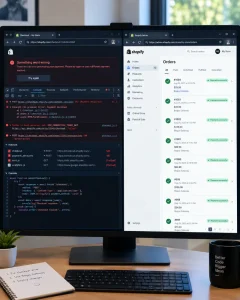
At NetClubbed, the conflicts we see most fall into a few recurring categories. Cart drawer and upsell apps often inject scripts that override a theme’s native cart AJAX calls, causing duplicate line items or quantity mismatches. Review and UGC widget apps tend to load render-blocking scripts on product pages, delaying Add to Cart interactivity and hurting INP scores. Running multiple discount or loyalty apps together is another common issue — when two apps both try to modify cart pricing logic, it creates silent calculation errors that under- or over-charge customers without throwing visible bugs. Our standard practice is to disable non-essential apps one at a time during QA and re-test checkout after each toggle, since the real conflict is often a combination of two apps rather than a single culprit.
4. Responsive Design and Cross-Device Verification
Shoppers purchase across mobile, tablet, and desktop screens. Review these responsive elements:
- Viewport compatibility: Test storefront pages across modern iOS and Android smartphones, tablets, and desktop displays. Check for horizontal overflow, overlapping text containers, and broken grid layouts.
- Touch target usability: Ensure buttons, variant selectors, hamburger menus, and form inputs maintain adequate physical spacing on mobile displays so shoppers do not trigger adjacent links.
- Typography and asset scaling: Confirm that headings and body text scale legibly without awkward line wraps. Verify that hero banners crop gracefully without obscuring promotional copy or focal imagery.
Across the storefronts we’ve audited, Safari on iOS (particularly older iPhone models still on iOS 15–16) surfaces the most layout issues — mainly because Safari handles viewport units (vh, 100svh), sticky positioning, and flexbox gap properties differently than Chrome. Sticky “Add to Cart” bars and bottom navigation are where we catch the most bugs, since Safari’s dynamic toolbar changes the effective viewport height as users scroll. The second most problematic combination is Chrome on mid-range Android devices with smaller physical screens (under 375px width) — this is where text truncation, overlapping variant swatches, and touch targets smaller than the recommended 44px minimum tend to appear, especially on themes that weren’t designed mobile-first. Our QA checklist always prioritizes these two combinations first, then treats desktop and tablet as secondary passes, since that’s where client-reported bugs actually originate most often.
Manual Testing vs. Automated QA for Shopify Launches
Balancing manual reviews with automated testing ensures thorough coverage without delaying launch schedules. NetClubbed provides custom Shopify CMS development and technical audits for digital agencies and growing online retailers.
| Testing Domain | Manual Testing Scope | Automated Testing Scope | Pre-Launch Priority |
| Checkout Flow | Edge-case addresses, coupon stacking, and gateway declines | Synthetic payment scripts on staging environments | Critical (Blocker) |
| Cross-Device UX | Touch ergonomics, gesture interactions, and visual padding | Headless browser screenshot regression across viewports | Critical (Blocker) |
| App Integrations | Visual modal popups and interactive widget positioning | API webhook payload delivery and response timing | High (Essential) |
| Performance & SEO | Perceived page load, visual snap, and font rendering | Automated Lighthouse audits, broken link crawls, and schema parsers | High (Essential) |
| Notification Logic | Dynamic Liquid variables in actual inbox test emails | SMTP server deliverability and webhook dispatches | Medium (Important) |
Combining manual edge-case testing with automated regression scans guarantees that structural defects are caught before customer traffic arrives.
5. Third-Party App Integrations and Performance Audits
Third-party apps can introduce script conflicts and performance bottlenecks. Audit these technical areas:
- Script overhead and conflicts: Use browser developer tools to inspect external JavaScript loaded by marketing popups and review widgets. Identify unoptimized scripts that block main thread execution.
- Form captures and CRM integration: Submit newsletter signups, wholesale inquiry forms, and contact requests. Confirm that customer information maps cleanly into marketing platforms like Klaviyo without losing attributes.
- Customer service chat widgets: Verify that floating chat widgets do not cover sticky ‘Add to Cart’ buttons, cookie consent bars, or checkout actions on mobile screens.
- Core Web Vitals compliance: According to Google’s Web Vitals documentation, web pages should achieve a Largest Contentful Paint (LCP) within 2.5 seconds, Cumulative Layout Shift (CLS) under 0.1, and an Interaction to Next Paint (INP) below 200 milliseconds. Test key templates against these thresholds to protect search rankings.
6. Post-Purchase Flows and Email Notifications
Transactional emails and fulfillment updates directly impact customer trust. Test these communication steps:
- Order confirmation accuracy: Review the confirmation email received after completing a test purchase. Verify that product titles, variant details, quantities, pricing, shipping addresses, and applied discounts render accurately.
- Fulfillment and tracking notifications: Process a test order fulfillment in the Shopify admin. Confirm tracking links redirect to carrier portals and that dynamic Liquid variables populate without displaying raw syntax.
- Abandoned cart recovery sequences: Abandon a checkout session after entering contact details. Confirm that automated recovery emails trigger at scheduled intervals with functional cart recovery links.
For multi-zone launches, we build a shipping zone test matrix before touching the storefront — one row per zone, with columns for expected tax treatment, carrier rate source, and delivery time display. We then place one test order per zone using addresses at the edges of rate brackets, like just under or over a free-shipping threshold, rather than only testing the “easy” middle-of-bracket address, since that’s where rate-calculation bugs actually hide. For cross-border clients, we separately verify whether duties and VAT are collected at checkout or flagged as “collected on delivery,” a common point of confusion that generates support tickets post-launch. Each test order is logged with cart, checkout, and confirmation email screenshots side by side, giving us a clean baseline to compare against if a rate looks wrong weeks later.
7. Technical SEO, Analytics, and Legal Compliance
Overlooking tracking or compliance leads to lost attribution data or legal penalties. Verify these foundational settings:
- Metadata and structured data: Ensure unique meta titles, descriptions, and Open Graph social sharing images are configured for all core pages. Validate Product and BreadcrumbList structured data using Google’s Rich Results Test tool.
- Analytics tags and conversion tracking: Verify Google Analytics 4 (GA4), Meta Pixel, and Google Tag Manager firing. Use debugger extensions to confirm that ‘add_to_cart’ and ‘purchase’ events pass correct product IDs, values, and currency parameters.
- Redirects and 404 page behavior: Upload 301 URL redirects in Shopify admin to protect existing search equity when migrating platforms. Test mistyped URLs to verify custom 404 pages provide navigation back to top collections.
- Policy pages and cookie consent: Confirm terms of service, refund policies, privacy disclosures, and shipping policies are published and linked in the footer. Ensure cookie consent banners comply with regional GDPR and CCPA rules.
The 6-Step Shopify Store Launch Execution Framework
Execute this sequential launch framework once functional testing is complete:
- Establish a code freeze: Lock theme edits and app installations 48 hours prior to launch to prevent regressions.
- Execute final test orders: Place final transactions using test gateways and a live low-value payment to confirm end-to-end processing.
- Deactivate test modes: Disable Shopify Payments test mode and remove Bogus Gateways in Shopify admin settings.
- Configure custom domain: Assign your primary domain, verify SSL certificate provisioning, and set root-to-www canonical redirects.
- Remove storefront password: Navigate to Online Store > Preferences and uncheck ‘Restrict access to visitors with the password’ to publish your store.
- Submit XML sitemaps: Submit your Shopify sitemap directly to Google Search Console and Bing Webmaster Tools for indexation.
Frequently Asked Questions
How do you place a test order on Shopify without being charged?
Simulate transactions by enabling Shopify Payments test mode in payment settings or selecting the Bogus Gateway under third-party providers. Both options simulate approved, declined, or failed transactions using test card credentials without charging real funds.
Does disabling the storefront password erase testing data?
No. Disabling the storefront password simply makes your store accessible to visitors and search crawlers. Products, settings, customer accounts, and existing test orders remain unaffected in your admin.
How many devices should you test before taking a Shopify store live?
Test across three physical smartphone viewports (iOS, Android, compact screens), one tablet, and two desktop resolutions. Supplement physical testing with browser developer emulation tools for complete layout and rendering engine coverage.
Why do Shopify apps frequently cause pre-launch checkout errors?
Third-party apps often inject unminified scripts, styles, or webhook listeners into themes. If an app responds slowly or alters native elements incorrectly, it can block payment scripts, cause layout shifts, or trigger cart conflicts.
Conclusion
Launching a Shopify store without comprehensive QA testing leaves revenue, ad spend, and brand reputation vulnerable to technical defects. By methodically validating product variants, cart calculations, payment gateways, mobile responsiveness, and tracking tags, merchants ensure a stable and profitable launch.
Ready to launch a high-performing e-commerce storefront? Book a free consultation at netclubbed.com to ensure your Shopify store is thoroughly tested, fully optimized, and ready to convert.